

Turn overwhelm into a checklist
Add the assignment, subject, due date and hardest part. Steppy creates an ordered checklist you can edit anytime.
Steppy turns assignment overwhelm into editable tiny steps, short focus sessions and one calm action when you feel stuck.
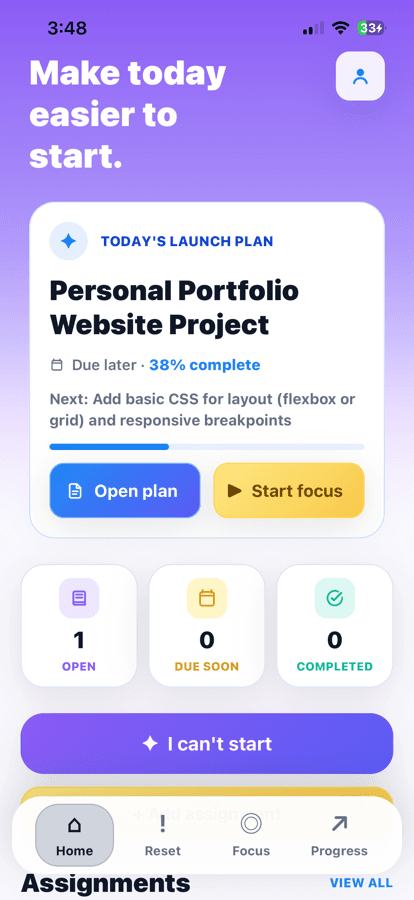
LESS PRESSURE. MORE MOMENTUM.
Steppy is designed around the moments when knowing what to do is not the same as being able to begin.
EVERYTHING YOU NEED
Calm tools for planning assignments, generating tiny steps, scheduling reminders, focusing and recognising the progress you are already making.
Add the assignment, subject, due date and hardest part. Steppy creates an ordered checklist you can edit anytime.
Reset mode uses your assignment, current checklist task and blocker to suggest one tiny action for right now.
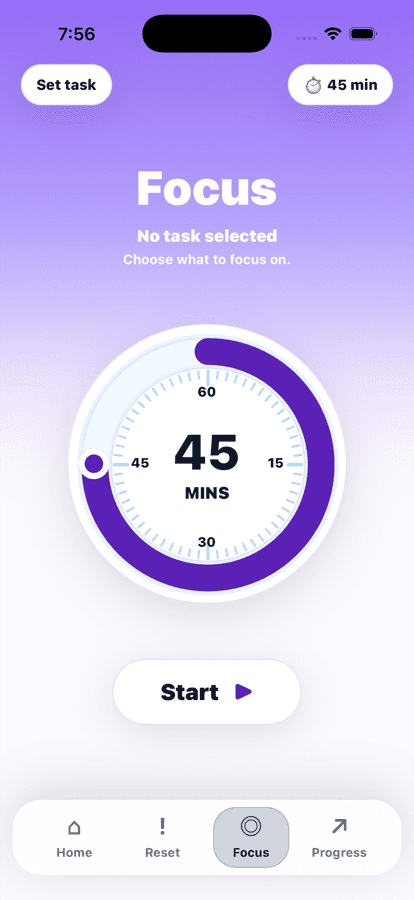
Start from an assignment, choose flexible durations, pause when needed and get a completion alert.
Schedule quick or custom reminders for the assignments that need your attention.
Review weekly or monthly tiny steps, completed assignments, next moves and recent wins without streak pressure.
Secure accounts, clear privacy controls and no advertising or selling of personal data.
HOW STEPPY WORKS
Enter the subject, due date, type and what feels hardest so Steppy has the context it needs.
Steppy turns the assignment into practical checklist steps you can edit, reorder and complete.
Start a focus session from the step in front of you, with the timer aligned to what you chose to do.
If you freeze, Reset mode uses AI to help you name the blocker and find an easier next move.
The Progress tab shows completed steps, moved assignments and the next useful action to take.
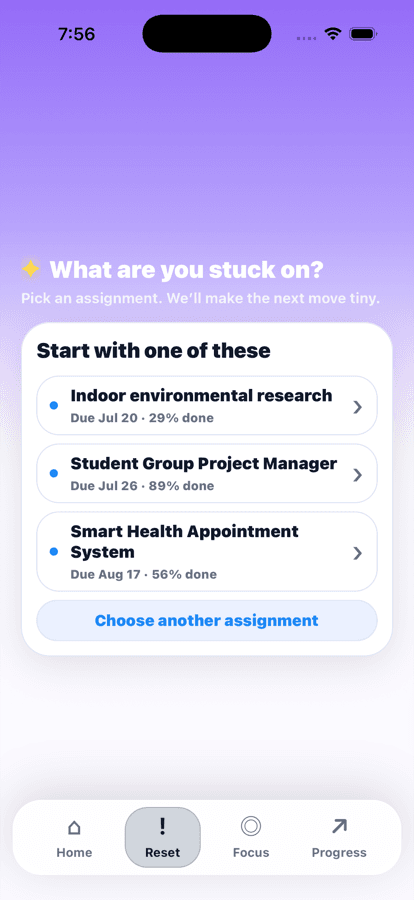
RESET MODE
Choose the assignment and what is getting in the way. Steppy uses the actual task you are stuck on to suggest one concrete action, then can make it even easier in-place.
GENTLE FOCUS
Carry one checklist step into a timer that adapts to your day. Use quick sessions, choose a custom duration, schedule start and end times, pause when needed, and get a completion alert when the session ends.
Set the time that fitsPick custom minutes or planned start and end times.
Pause without losing the stepStop, resume, or finish when your energy changes.
Stay with one next actionThe timer stays tied to the task in front of you.
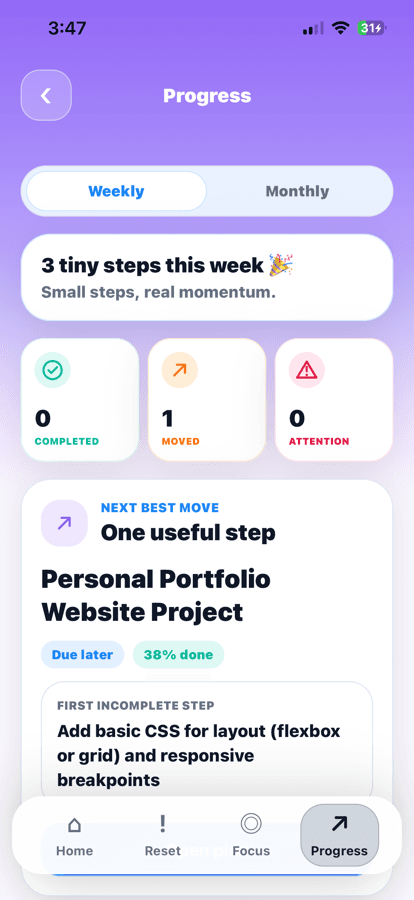
PROGRESS TAB
Steppy turns tiny steps into visible momentum. Weekly and monthly summaries show what you completed, what moved forward, and the next useful action to take.
DESIGNED WITH CARE
No shame loops. Steppy tracks movement, not perfect streaks.
No clutter. Calm screens keep the next action easy to find.
No selling your data. Your study information is used to run the app—not to target ads.
YOUR NEXT STEP CAN BE TINY
Get Steppy for iPhone and turn your next overwhelming assignment into one thing you can do now.
Available on the App Store for iPhone.